
A universal system for how work gets done
How to Use a SolveBoard Artifact
SolveBoard artifacts are designed to help you turn your thinking, information, and materials into a clear, structured output using AI. You don’t need technical knowledge or special tools—just follow the steps below.
If you can copy text into a document and upload a file, you can use a SolveBoard artifact.
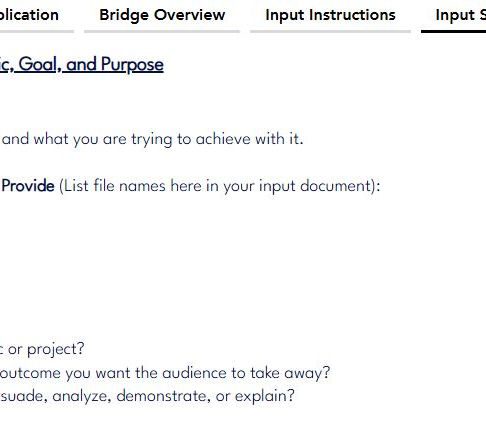
Step 1:
Create Your Input Document
Open a Word document (or any word processor you prefer).
Copy all of the text from the Input Sheet and paste it into the blank document.
This document is now your Input Document.
Step 2:
Fill Out the Input Document
Go through the Input Document and answer the questions directly in the document.
-
Write your responses clearly and completely
-
If a question asks you to reference a file (documents, spreadsheets, notes, etc.), list the file name exactly
-
You do not need to format anything—plain text is fine
Save the document once you are done.


Step 3:
Submit Everything to the AI
When you are ready to generate an output:
-
Upload the completed Input Document to your AI system
-
Upload any files you referenced in the Input Document
-
Copy and paste the Bridge AI Prompt text exactly as written into the AI prompt area
-
Do not edit, shorten, or reword this text
-
The AI will use:
-
Your Input Document
-
Your attached files
-
The Bridge AI Prompt instructions to generate the final output.
What Happens Next
Once submitted, the AI will:
-
Read your inputs
-
Apply the structure and rules defined by the artifact
-
Produce a clear, structured result aligned to the artifact’s purpose
That output is your finished artifact result and can be used, shared, or refined as needed.
Key Things to Remember
Remember to
-
Always copy the Input Sheet text into a document before filling it out
-
Always paste the Bridge AI Prompt exactly as provided
-
Attach every file you reference
-
No special formatting or AI expertise is required
If you can fill out a document, you can use a SolveBoard artifact.